
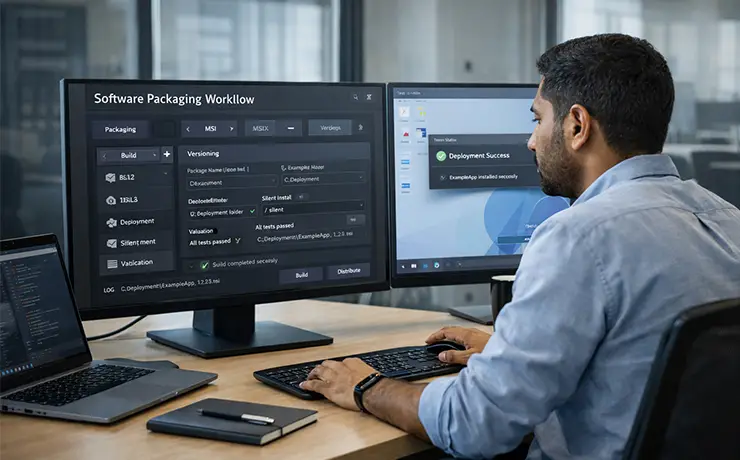
Application Packaging (MSI/MSIX)
Creation, customization and quality assurance of MSI and MSIX packages for standardized, automated and secure software distribution.
Target Group
IT departments and managed service customers using software distribution via e. g. Microsoft Intune, MECM/SCCM, Endpoint Manager, Citrix/VDI or classic GPO deployments – from mid-sized businesses to enterprise organizations and public administration.
Challenges
Software installations are often not standardized, cause disruptions, require high manual effort and are difficult to automate. Typical issues include missing silent installations, update chaos, dependencies, permission problems, conflicts in VDI/terminal servers, as well as missing documentation and testing.
Scope of Services
- Creation of MSI packages (new or repackaging)
- Creation of MSIX packages including adjustments for enterprise requirements
- Package customization (Transforms/MST, properties, custom actions, detection rules)
- Definition of installation/uninstallation routines (silent, logging, rollback)
- Signing (if required) and versioning
- Package validation and quality checks (best practices)
- Compatibility testing for client/VDI/terminal server
- Creation of deployments for Intune/MECM (optional)
- Documentation per package (install, uninstall, requirements, checks)
- Troubleshooting during rollout issues
Service-Level (SLA)
- Standard support: business days 8–18
- Response times (example):
- Critical (rollout blocked): ≤ 4 hours
- High (error with workaround): ≤ 1 business day
- Normal (adjustment/optimization): ≤ 2 business days
- Package delivery times by agreement (e. g. standard package 3–5 business days; complex packages based on effort)
- Optional: prioritized handling / 24/7 support for critical rollouts
Technical Components
- Packaging tools: Advanced Installer, InstallShield, WiX Toolset, Master Packager, MSIX Packaging Tool
- Microsoft platforms: Intune, MECM/SCCM, Endpoint Manager, Windows 10/11, Server (RDS)
- Virtualization/VDI: Citrix, VMware Horizon (optional)
- Test environments: clean VM, test rings, sandbox
Customer Benefits
- Faster and more reliable software deployment
- Fewer rollout disruptions and helpdesk tickets
- Higher security through standardized installation processes and signing
- Clean uninstallation, improved traceability and compliance
- Relief for endpoint/workplace teams
- Scalability for many applications and regular updates
Extension Options
- Package factory / continuous packaging (e. g. monthly quotas)
- Application readiness for Windows 11 / new releases
- App-V to MSIX migration
- Intune/MECM deployment design (rings, piloting, rollback strategies)
- Automation (CI/CD for packaging, repository integration)
- Managed testing (UAT coordination, test cases, acceptance protocols)
Pricing Model
- Per package (fixed price based on complexity class: S/M/L)
- Or monthly quota (e. g. X packages/month including SLA)
- Optional effort-based pricing for special cases (drivers, complex middleware, legacy setups)
- Additional services (e. g. 24/7, onsite, extensive testing) separately charged
Onboarding & Implementation
- Kickoff: standards, naming conventions, versioning, documentation template
- Definition of packaging guidelines (MSI/MSIX standards, signing, logging)
- Setup of handover process (ticket, inputs, sources, acceptance criteria)
- Establishment of test environment/alignment of test matrix (client, VDI, OS versions)
- Pilot package(s) as reference, followed by regular operations with SLA and reporting